
Saturday, 17 January 2026
Let’s Just Get It Out of the Way and Talk About the New Icons First
When Apple unveiled the new app icons for its Creator Studio suite, the backlash was immediate. Many criticized these icons for being overly simplistic and lacking the artistic flair that Apple historically championed. While I agree that the icons may not shine in terms of creativity, I would argue that the criticism often misses a deeper issue at play—namely, Apple’s broader software design philosophy.
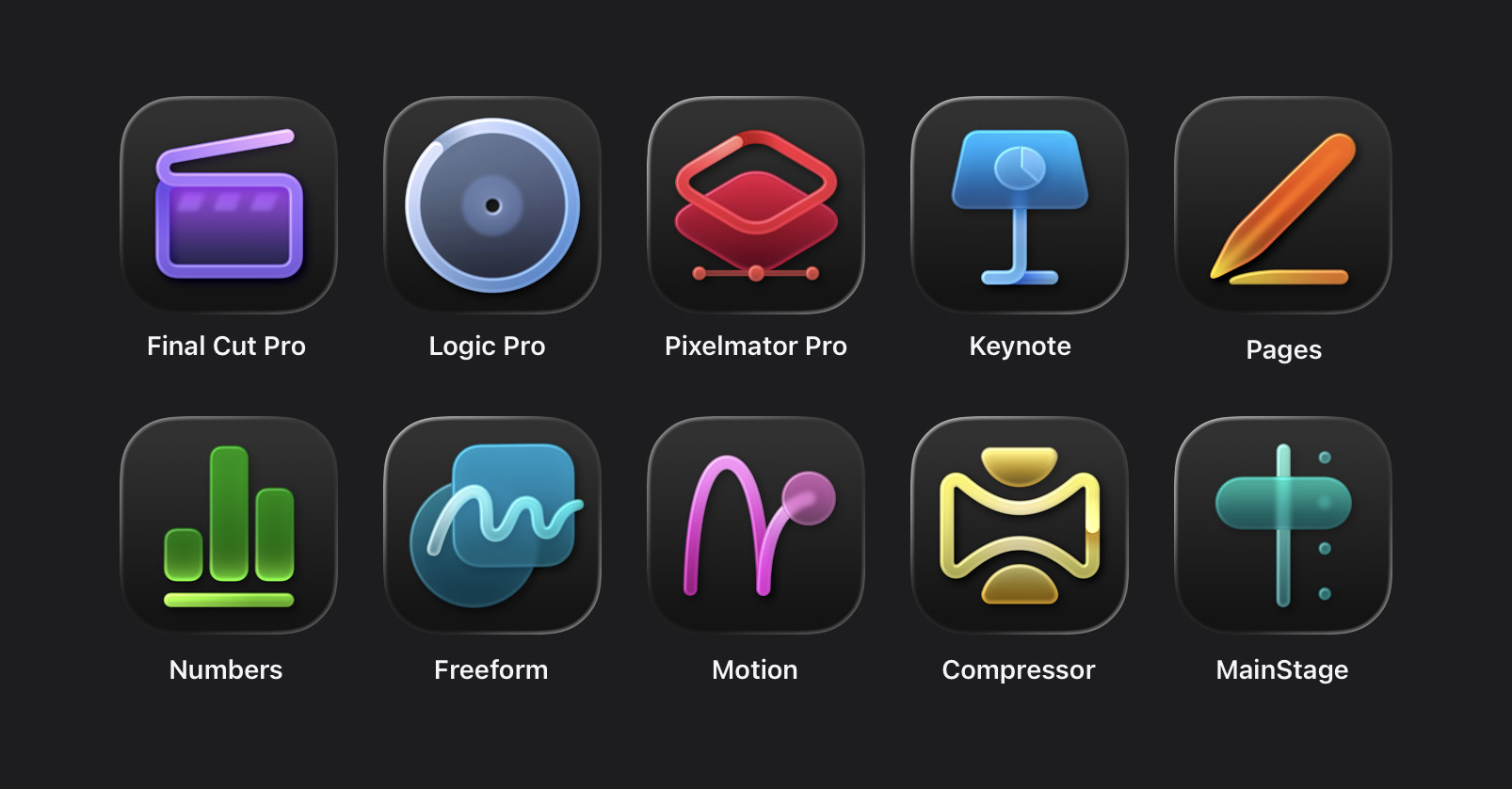
The true problem is not merely the design of these icons. Instead, it reflects the rigid rules imposed by Apple regarding Liquid Glass app icons and their own style guidelines. Apple’s adherence to specific aesthetic constraints—like the mandatory squircle shape—creates an island of uniformity that stifles genuine creativity. If we look at its past, Apple’s icons embodied artistry, yet many recent iterations come off as bland. Given this context, the Creator Studio icons can, relatively speaking, be deemed ‘acceptable’, much like saying that those kids sporting subpar haircuts at summer camp still look ‘pretty good’ compared to others sporting even worse cuts.
One of the best quips capturing this sentiment comes from Héliographe, who remarked:
If you put the Apple icons in reverse it looks like the portfolio of someone getting really really good at icon design.
This playful jab serves as a reminder that while the current icons may not be markedly inferior to their predecessors, they lack the charm and detail that once defined Apple’s aesthetic. The evolution in design feels like a regression, akin to a schoolyard where each haircut grows less inspiring than the last until you reach the original masterpiece.
Hardware vs. Software Design Confidence
I distinctly remember a past conversation with Jony Ive about Apple’s design philosophy. During a discussion about subtle changes in product design, he shared that Apple does not innovate for the sake of change; each alteration must enhance the user experience. In today’s rapidly evolving tech landscape, the pressure to innovate can lead to changes that are merely different rather than improved.
Apple’s hardware designs are a testament to this belief. The M5 MacBook Pro, for example, retains a striking resemblance to its M1 predecessor. Similarly, the iPhone series and Apple Watch designs have seen subtle refinements rather than dramatic overhauls. This steadfastness speaks volumes about the self-assurance inherent in Apple’s hardware design—confidence in what is already excellent.
In stark contrast, Apple’s software designs have omitted this confident touch, facing withering criticism. The disparity in feedback reveals that while hardware innovations tend to garner praise, the software UI—especially in recent versions—has suffered from a marked decline in quality. For most users, older versions of macOS, like 10.11 El Capitan, are viewed as superior in both aesthetic and functional design. A quick excursion into the treasures of Stephen Hackett’s MacOS Screenshot Library illustrates this disparity vividly, depicting a software landscape that, frankly, feels both outdated and inferior.
The Issue of Liquid Glass
The term “Liquid Glass” encompasses various UI changes associated with Apple’s latest MacOS version—chiefly, the emphasis on fluid transparency and design purity. While fluidity and transparency may have charming applicability in mobile contexts, they quickly deteriorate when applied to complex desktop applications.
Apple’s vision for “content-first” interfaces, where the application’s UI blends seamlessly into the background, can be detrimental in a productivity environment. Applications should maintain a distinct structure that allows users to navigate easily, rather than merging into an indistinct haze. Such a philosophy turns the application window into a chaotic muddle, much akin to a driver trying to decipher an overly complex head-up display, losing sight of critical information while overwhelmed by data.
Understand the New Creator Studio Bundle
Apple’s Creator Studio bundle aims to elevate creativity and productivity, offering a range of features, from enhanced content hubs to AI-driven design tools. However, I share concerns regarding how features have become monetized under the subscription model, particularly when they might be expected as standard for productivity apps.
The introduction of advanced functionalities—like generative AI tools for image editing or smart auto-fill options—should not be constrained to a subscription model, especially for existing users familiar with Apple’s platform. Such pricing structures can alienate segments of their user base, particularly those who may only need certain functionalities without the inclination to dive into professional-grade tools like Final Cut Pro or Logic Pro.
The Content Hub and Future Prospects
As part of the bundle, the Content Hub offers curated stock imagery—a nice touch, but the name itself raises questions. Why refer to it as a “Content Hub” when it currently offers only images? The implication leaves room for the expectation that it could evolve to incorporate audio, video, and more in the future. This could allow Apple to build a comprehensive resource that assists various creative needs.
The Future of Photomator
Another curiosity lies with Photomator, which remains unmentioned in the excitement surrounding the Creator Studio. Unlike Pixelmator Pro, which moves forward with an integrated update, Photomator remains a standalone purchase. Given the competitive landscape of photo editing and the rising popularity of Lightroom, the absence of a committed strategy for this app feels like a missed opportunity.
Family Sharing and Pricing Concerns
While the pricing model for Creator Studio appears fair, with options for family sharing and student discounts, the overall strategy raises issues about the unifying vision of “one Apple”. The separation between standard Apple bundles and specialty subscriptions undermines a cohesive user experience.